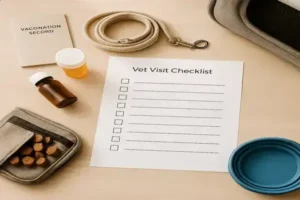
Picture this: it’s the 28th, the flea pill was due three days ago — and the rabies booster? Nowhere on your calendar. Your stomach drops. Sound familiar?
Pet care stuff scatters fast — vaccinations here, deworming there, a diet tweak you meant to track but forgot. When you miss or double a dose, stress spikes, your pet’s comfort suffers, and small issues can snowball into avoidable vet bills. You end up guessing instead of knowing, which wears on you day after day.
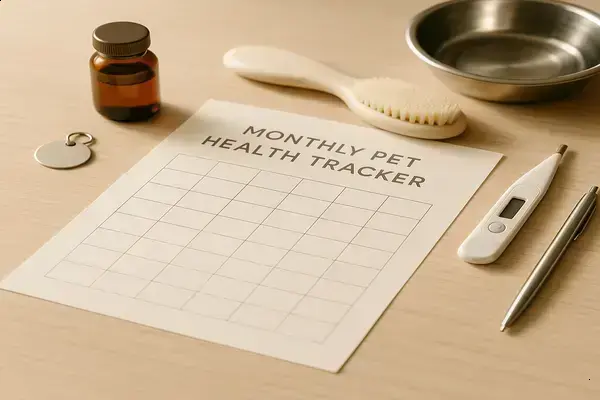
By the end, you’ll have a simple system you can keep in minutes: what to track, a format that fits your routine, and a ready-to-use monthly pet care tracker template. You’ll know exactly how to log meds, vaccines, diet, grooming, and behavior — and spot red flags early. First up: what a good monthly tracker actually covers.
(Learn) What A Monthly Tracker Covers And Why It Works
Here’s the thing: your memory is great until life gets noisy — then dosage times, vaccine dates, and diet tweaks slip. A monthly tracker pulls it all into one calm view.
So why does a monthly tracker work better than a pile of reminders? Patterns. Over 30 days you can connect symptoms to food changes, spot missed heartworm prevention, and notice weight creep before it becomes a vet bill.
💡 Pro Tip: The American Veterinary Medical Association recommends consistent preventive care. Logging monthly doses (flea/tick, heartworm) and due dates reduces lapses that the Companion Animal Parasite Council warns can raise infection risk.
Core Areas Your Tracker Should Cover
| Area | What To Log | Why It Works |
|---|---|---|
| Vaccines & Preventives | Date given, product, next due | Prevents gaps; keeps your vaccination schedule tight |
| Medications & Supplements | Dose, frequency, start/stop, side effects | Boosts medication adherence; flags reactions early |
| Nutrition & Weight | Food brand, portion size, weekly weight | Controls calories; supports weight management plans |
| Behavior & Symptoms | Energy, appetite, cough/itch/stool notes | Turns vague worries into a clear symptom journal |
| Grooming & Hygiene | Teeth brushing, ear cleaning, nail trims | Prevents dental costs; reduces ear/skin flare-ups |
| Vet & Insurance | Wellness exam, labs, claims filed | Centralizes records; smooths pet insurance claims |
Worried about “what numbers matter” most? Track these simple health signals that vets use daily — they’re quick and powerful.
- Body Condition Score (BCS 1–9): Use the WSAVA chart; aim for 4–5. It’s a better obesity check than weight alone.
- Resting Respiratory Rate (asleep): Count breaths in 60 seconds; over 30 consistently can flag heart or lung issues.
- Stool Consistency: Note change after new food or treats; persistent soft stool merits a call.
Picture this scenario: you log mild itching two days after switching to a chicken formula — three times in a month. That pattern turns a hunch into evidence, guiding a targeted diet trial and fewer random purchases.
If you see red-flag trends (lethargy, labored breathing, rapid weight change), contact a licensed veterinarian for diagnosis and treatment advice.
And honestly? A tracker isn’t busywork — it’s a preventive care plan that catches small issues before they snowball. But there’s one detail most owners completely overlook until it’s too late…
(Do) Set Up Your Monthly Pet Care Tracker Step By Step
Ready to set this up without fuss? Here’s the thing: consistency beats fancy features — a simple tracker you’ll actually use is the real win.
Time needed: about 20 minutes today, then 2 minutes after each medication or event, and a quick 5-minute weekly review. Prerequisite: know your pet’s current meds and preventive schedule.
What You Need
- Printable monthly tracker or a notes app/spreadsheet
- Fine-tip pen or stylus
- Digital pet scale
- Flexible tape measure
- Seven-day pill organizer
- Phone calendar for reminders
- Folder or cloud drive for scans/photos
- Pick Your Format: Choose paper (binder-friendly) or digital (spreadsheet/app). Go with the one you’ll open daily — not the one that looks coolest.
- Set Core Sections: Create blocks for Preventives, Meds, Nutrition/Weight, Behavior/Symptoms, Grooming, and Vet/Admin. Add date, product, dose, and notes columns.
- Enter Baseline Data: Add pet profile, microchip, current weight, and Body Condition Score (use the WSAVA 1–9 chart; aim for 4–5). List all active meds and doses.
- Anchor Recurring Dates: Drop monthly heartworm and flea/tick due dates, plus vaccine boosters. Set calendar reminders with a 24-hour buffer window.
- Map Weekly Routines: Choose one weigh-in day, one teeth-brushing day, and a quick skin/ear check. Put these on the same weekday each week.
- Log In Real Time: Check off doses, write times, and note reactions within the hour. Add a simple key (e.g., GI=stool change, P=pruritus/itch).
- Attach Evidence: Snap a photo of labels, receipts, or stool changes. Save to your folder and reference the file name in your notes.
- End‑Of‑Month Review: Scan patterns, note missed doses, calculate adherence (%) and weight trend. Carry forward next due dates.
💡 Pro Tip: AAHA preventive care guidelines back monthly parasite control; CAPC risk maps show why lapses matter. Record product name, lot number, and next due — it speeds pet insurance claims and keeps your vaccination schedule airtight.
In practice: you set Tuesday as “weigh + teeth,” log a mild ear odor on the 12th, and note it again after swimming. By review day, you can link moisture exposure to flare-ups — and plan drying drops next month.
What actually works might surprise you…
(Decide) Digital Apps Vs Printable Templates: Which Fits Your Routine?
Torn between an app and paper? Here’s the thing: the best tracker is the one you’ll open on busy days — not only on perfect ones.
The truth is: your choice hinges on habits. Do you live on your phone, share care with family, travel often, or need offline reliability? Consider data backup, multi-pet support, photo attachments, and how easy it is to hand a clean summary to your vet or a sitter.
| Option | Best For | Key Trade‑Offs |
|---|---|---|
| Digital Apps | Busy owners needing alerts, cloud backup, photo logs | Pros: reminders, data sync; Cons: battery, subscription costs, learning curve |
| Printable Template | Households with sitters, kennels, or limited phone use | Pros: fridge‑ready, zero tech; Cons: no alerts, manual totals |
| Hybrid | Families splitting duties; vet visits and insurance claims | Pros: app + monthly printout; Cons: light double entry |
Picture this scenario: you’re in meetings all week, so the app pings you for heartworm night — done. Your neighbor watches your dog on Saturday; the binder on the counter shows doses at a glance. No confusion, no double meds, no “did you give it?” texts.
Real App Options At A Glance
- PetDesk (by PetDesk; iOS/Android; free when your clinic uses it): Appointment requests, medication reminders, vaccine records, multi-pet profiles. Great for push alerts and care coordination.
- 11pets: Pet Care (by 11Pets Ltd.; iOS/Android; freemium): Medical history, deworming/flea schedules, photo attachments, weight charts. Useful for data graphs and exporting PDFs for pet insurance claims.
- Pawprint (by Pawprint Labs; iOS; free with optional services): Digital records pulled from your vet, reminders, shareable profiles. Handy if you need quick proof of vaccines for boarding.
💡 Pro Tip: The American Animal Hospital Association notes that timely, accurate medical records improve continuity of care. If you use an app, export a monthly PDF or snapshot and file it in your printed tracker — it’s gold during wellness exams and claims.
Worth noting: subscriptions for parasite prevention and veterinary telehealth pair well with digital reminders, while a printed month-at-a-glance is unbeatable for sitters and kennels that prefer paper.
And this is exactly where most people make the most common mistake…
(Do) What To Log Weekly And Monthly: Vaccines, Meds, Diet, Behavior
What should you log weekly versus monthly to actually spot problems early? Here’s the thing: frequency isn’t random — it follows how fast changes show up.
Weekly entries catch short-term swings in appetite, stool, itch, and weight. Monthly entries lock in big-picture patterns — vaccine due dates, preventive doses, adherence, and any slow drift in body condition or behavior.
Weekly Vs Monthly At A Glance
| Frequency | Category | What To Capture |
|---|---|---|
| Weekly | Weight & BCS | Weight (lb/kg), quick Body Condition Score 1–9 |
| Weekly | Diet | Food brand, portion (grams/cups), treats count |
| Weekly | Stool & Urine | Stool score 1–5, accidents, color/consistency notes |
| Weekly | Behavior & Activity | Energy 1–5, appetite 1–5, new behaviors |
| Weekly | Skin & Ears | Itch scale 0–3, hotspots, ear odor/redness |
| Monthly | Preventives | Heartworm, flea/tick: product, dose, date, next due |
| Monthly | Medications | Start/stop, dose (mg or mg/kg), adherence % |
| Monthly | Measurements | Chest/waist (cm), photos for progress, harness fit |
| Monthly | Vet & Admin | Vaccine schedule, refills, pet insurance claim notes |
Want consistent notes that your vet can read fast? Use short scales and exact numbers — they beat vague descriptions every time.
- Timestamps: Log doses and symptoms to the hour for cause‑and‑effect clarity.
- Product detail: Record brand, strength, and lot number for preventives.
- Dose format: Note mg and mg/kg when possible — it confirms correct dosing for weight.
- Symptom scales: Appetite 1–5, itch 0–3, stool 1–5; add a one‑line trigger guess.
- BCS reference: Use the WSAVA 1–9 chart monthly to track weight management.
💡 Pro Tip: AAHA dental care guidance favors daily brushing — mark one weekly “teeth check” plus a monthly tartar photo. For heart disease patients, ACVIM specialists recommend tracking resting respiratory rate; record a weekly average to catch subtle changes early.
In practice: you log a 0.5 lb gain three weeks running, plus stool 4/5 after late‑night treats. By month’s end, the pattern is clear — trim 10% of treats and split dinner, then recheck weight.
And this is exactly where most people make the most common mistake…
(Get) Ready-To-Use Monthly Pet Care Tracker Template And Usage Tips
You want something you can use today — not another “someday” system. Here’s the thing: a clean one‑page template you see daily beats any complex app you forget.
Inside The Template (Copy This Structure)
- Header: Pet name, species/breed, microchip, allergies, vet contact.
- Preventives: Heartworm, flea/tick — product, dose, date, next due.
- Medications: Name, strength, mg/kg, start/stop, reactions.
- Nutrition & Weight: Food brand, portion (g/cups), weekly weight, BCS 1–9.
- Behavior & Symptoms: Appetite 1–5, energy 1–5, stool 1–5, itch 0–3, notes.
- Grooming & Hygiene: Teeth, ears, nails, bath dates.
- Vet & Admin: Vaccines, labs, refills, pet insurance claim #.
- Start‑Of‑Month: Pre‑fill preventive due dates and any scheduled boosters.
- After Any Dose: Record time, product, lot number, and quick reaction check.
- Weekly Health Check: Weigh, note BCS, add stool/itch scores, adjust food if needed.
- Photo Evidence: Snap labels or tartar/skin photos and reference the file name.
- Month‑End Summary: Calculate adherence %, weight trend, and roll next due dates.
| Use Case | Customize This | Why It Works |
|---|---|---|
| Multi‑Pet Household | Color tabs per pet; initials on each entry | Prevents mix‑ups; speeds handoffs to sitters |
| Allergy‑Prone Dog | Trigger column (protein, pollen, detergent) | Connects flares to exposures for targeted trials |
| Senior Cat/CKD | Fluids/meds row; hydration and urine notes | Surfaces trends that warrant medication tweaks |
| Travel/Boarding | Print duplicate + QR code to cloud folder | Gives caregivers records without your phone |
💡 Pro Tip: AVMA and AAHA stress accurate dosing and documentation. Include product name, concentration, and lot number; pair with current weight so mg/kg checks are fast during refills or wellness exams.
In practice: you color‑code “chicken” exposures in yellow, log itch 2/3 within 24 hours twice this month, and add a photo of mild ear redness. By the summary, the pattern is obvious — time to trial a novel protein.
But there’s one detail most owners completely overlook until it’s too late…
Here’s the quick recap: a monthly tracker works because it reveals patterns you’d miss day to day; choose a format you’ll actually open; and log weekly vs monthly with simple scales and photos. If you take just one thing from this guide, let it be: consistency in one place beats any fancy tool. Your monthly pet care tracker template turns guesswork into clear decisions.
Before, doses slipped, weights drifted, and notes lived in three apps. Now you’ve got a single page or app routine. Two minutes to log. Five to review weekly. You’ll catch trends earlier, speak your vet’s language, and walk into visits prepared — not stressed.
Which section will you set up first — Preventives, Diet & Weight, or Behavior & Symptoms — and why? Tell us in the comments!

About the Author: Morgan Ellis is a pet care enthusiast dedicated to helping everyday owners build confident, organized routines for their dogs and cats. With a passion for practical, vet-informed guidance, Morgan helps pet parents navigate the joys and challenges of pet ownership with clarity and ease.